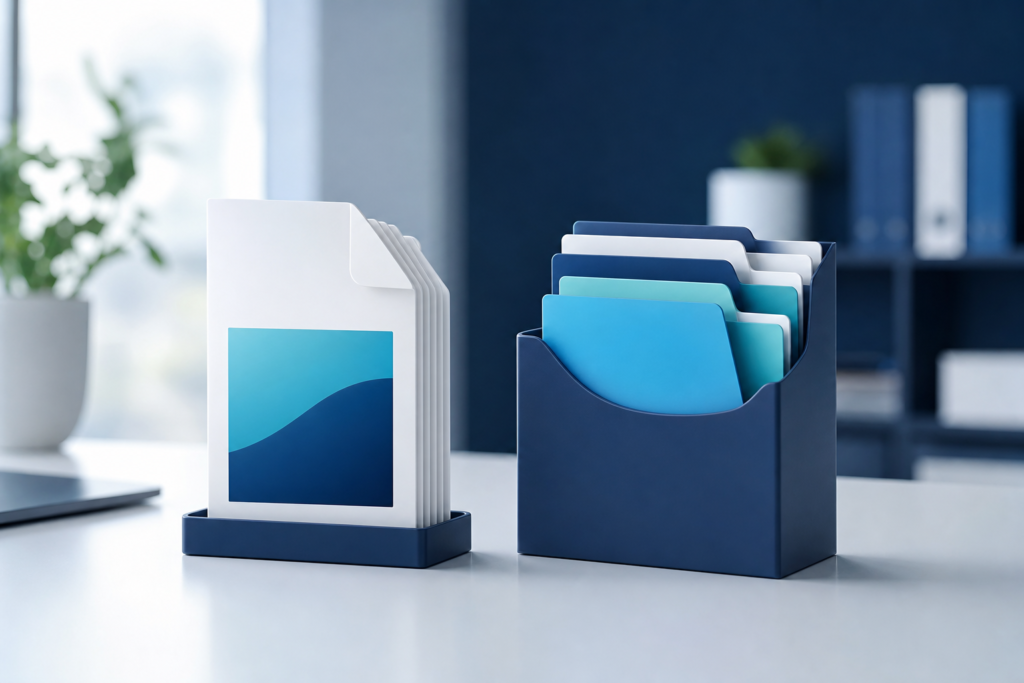
If you are trying to decide between PDF Merge vs PDF Portfolio, the right choice depends on what you need the documents to do. Do you want one clean file that is easy to send, print, store, or upload? Or do you want to package multiple files together while keeping each document separate and organized? Those are very different use cases.
A PDF merge combines several PDFs into one continuous document. A PDF portfolio, on the other hand, acts more like a container that holds multiple files together in a structured package. Both can be useful, but they solve different problems. Choosing the wrong one can create friction for recipients, especially if they only want a simple file they can open without extra steps.
What is a PDF merge?
A PDF merge combines two or more PDF files into a single PDF. Once merged, the pages flow in one document from start to finish. This is ideal when the files belong together and should be read in order, such as:
- Proposals and appendices
- Scanned contracts
- Reports with supporting documents
- Applications with multiple forms
- Training materials or manuals
In most everyday business situations, a merged PDF is easier to use than a portfolio because it behaves like a normal PDF. Recipients can preview it, share it, annotate it, and print it without wondering how the contents are arranged.
When a merged PDF works best
A merged PDF is usually the best option when the documents should be read as one sequence. For example, if a sales team wants to send a proposal followed by pricing tables and terms, merging keeps everything in a logical order. It also reduces the chance that someone misses a file attachment.
For teams that handle many document workflows, OneCode Pulse also offers practical digital tools such as use OneCode Pulse’s PDF Merge tool and follow this step-by-step guide to merge PDF files online for a smoother process.
What is a PDF portfolio?
A PDF portfolio is a package that groups several files into one container while keeping them separate. It may include PDFs, images, spreadsheets, and other file types depending on the software used. Instead of flattening everything into a single reading flow, a portfolio keeps each file intact and accessible on its own.
This format is useful when the documents are related but not meant to become one continuous file. For instance, a portfolio can be helpful for:
- Project submissions with different file types
- Document sets that need to remain individually editable
- Legal or compliance packets with multiple source files
- Creative presentations that include supporting assets
However, PDF portfolios are less universally convenient than merged PDFs. Some users may not know how to navigate them, and some devices or viewers may not display the portfolio structure as clearly as standard PDF pages.
PDF Merge vs PDF Portfolio: the practical differences
The easiest way to choose is to compare how each format performs in real-world use.
| Aspect | PDF Merge | PDF Portfolio |
|---|---|---|
| File structure | One continuous PDF | Multiple files inside one container |
| Ease of sharing | Very easy | Can be less familiar to recipients |
| Best for reading | Yes | Not ideal for linear reading |
| File types supported | Usually PDFs only | Often multiple file types |
| Editing individual files | No, unless split later | Yes, original files stay separate |
| Printing | Straightforward | Depends on viewer and file mix |
In plain terms, merge when you want simplicity. Use a portfolio when you want to preserve separation and file diversity.
When should you use PDF Merge?
Choose PDF Merge when the goal is clarity. If the recipient should open one file and immediately understand the full content, merging is usually the better choice. It is especially useful for operations, sales, HR, finance, and client-facing documents.
Good use cases for merged PDFs
- Sending a single application packet
- Combining invoices, receipts, or statements
- Creating a final version of a document set
- Packaging meeting notes and supporting materials
- Preparing files for upload to a system that accepts one PDF
Merged PDFs also work well when you care about workflow speed. They are easy to store in cloud folders, easier to attach to emails, and less likely to cause confusion than a bundle of separate files.
When should you use PDF Portfolio?
Choose PDF Portfolio when the documents should remain separate and the package contains multiple file types or standalone items. A portfolio makes more sense when the individual files are assets rather than pages of one story.
Good use cases for portfolios
- Delivering a design package with PDFs, images, and spreadsheets
- Sharing source documents for review
- Keeping related files together without merging them
- Submitting a collection of documents that must stay distinct
That said, if your audience is not technical, a portfolio may create unnecessary friction. Many people simply expect one PDF and may not realize there are multiple items inside a container. For broad business communication, that usually makes merge the safer default.
How to decide quickly
If you are still unsure, use this simple rule:
Use a merged PDF when the documents should be read as one file. Use a PDF portfolio when the files should stay separate inside a shared package.
You can also ask three practical questions:
- Does the recipient need one document or several?
- Should the files be read in a specific order?
- Do the files need to stay editable or in different formats?
If the answer to the first two questions is yes, merge is usually the right choice. If the third answer is yes, a portfolio may be more appropriate.
Common mistakes to avoid
People often choose a portfolio because it sounds more organized, but that does not always mean it is easier to use. Here are a few common mistakes:
- Using a portfolio for simple document sharing. This can make life harder for the recipient.
- Merging unrelated content. If the files are only loosely connected, keep them separate or use a portfolio.
- Forgetting the audience. Always choose the format that your recipient can open and understand fastest.
- Overlooking security needs. If documents are sensitive, review sharing settings and file-handling practices first.
If you are handling confidential files, it is worth checking this PDF tool privacy and security checklist before using any online service.
How businesses can streamline PDF workflows
For teams that deal with documents every day, the format decision is only one part of the workflow. The bigger opportunity is to reduce friction around document creation, splitting, merging, naming, and sharing. That is where a well-designed digital process can save time and reduce errors.
Companies often benefit from having clear document standards, such as when to merge, when to split, and when to use packaged file sets. If your organization needs more than a one-off tool, OneCode Pulse can help build efficient digital workflows through its broader technology services, including website and e-commerce development and AI tools and business automation.
For teams managing larger file sets, it can also help to split PDF files when you only need selected pages before recombining them into a cleaner final package.
Final recommendation
In most everyday business situations, PDF Merge is the better default because it is simpler, more familiar, and easier for recipients to use. PDF Portfolio is more specialized and makes sense when you need to preserve separate files in one container. The best format is the one that reduces confusion and fits the way the document will be used.
Conclusion: choosing PDF Merge vs PDF Portfolio
When comparing PDF Merge vs PDF Portfolio, the clearest rule is simple: merge when you want one easy-to-use document, and use a portfolio when you need to keep separate files together. For most business sharing, a merged PDF is the more practical choice because it is easier to open, send, print, and store. If your workflow is more complex, a portfolio can still be useful for organized file packaging.
Frequently Asked Questions
Is a PDF portfolio the same as a merged PDF?
No. A merged PDF becomes one continuous document, while a PDF portfolio groups separate files inside one container. They look and behave differently.
Which is better for emailing to clients?
A merged PDF is usually better for clients because it is simpler to open and review. A portfolio may be confusing unless the recipient expects that format.
Can a PDF portfolio include non-PDF files?
Yes, depending on the software used to create it. Portfolios can often hold different file types together without converting them into one page flow.
When should I split a PDF instead of merging it?
Split a PDF when you only need certain pages or want to separate a large file into smaller, more focused documents before sharing or filing.
What is the safest way to handle sensitive PDF files online?
Use trusted tools, check privacy practices, avoid uploading unnecessary confidential data, and confirm that the platform matches your organization’s security requirements.
Need help choosing the right PDF workflow?
If your team wants a simpler, faster way to manage documents, OneCode Pulse can help you design a secure and efficient workflow. Contact us for a free consultation to discuss the best approach for your PDF processes and broader digital needs.